

Yealink deployment guide
Yealink VP59 Zoom Phone Deployment Guide V1.0
Loading document preview…
About this deployment guide
About the VP59 Zoom Phone Deployment Guide V1.0
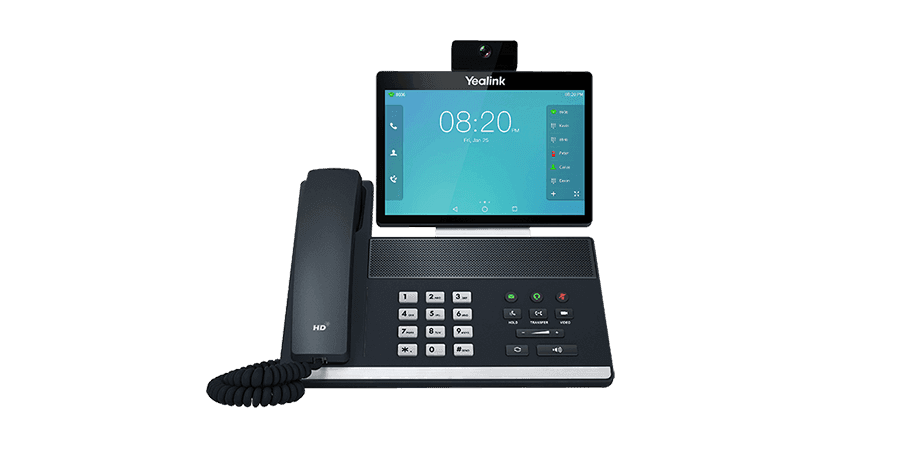
Deployment and provisioning reference for the Yealink VP59: templates, parameters and rollout steps (21 pages). This is version 1.0, last updated by Yealink on December 4, 2025, and you can read it right here or download it.
What’s inside
- Yealink VP59 Zoom Phone Introduction
- Hardware Overview
- VP59
- LED Indicator Introduction
- Technical Specifications
- Related Documents
- Deployment and Connection
- Deployment and Connection of the VP59
- Yealink VP59 Zoom Phone Deployment Solution
- Initial Setup
- Signing in to/Signing out of Your Zoom Rooms Account
- Signing in to Your Zoom Account
- Signing out of Your Zoom Account
- Basic Features That Can Be Operated By The Phone
- System Security
- System Lock Settings
- Changing the Administrator Password
- System Settings
- Setting the Language
- Setting the Time and Date
- Customizing the Time and Date
- Editing Time and Date
- Adjust the Backlight and Backlight Time.
- Set the Screen Saver Type and Waiting Time.
- Using Web User Interface
- Configuring the Web Server Type
- Logging into the Web User Interface
- Network Settings
- Configuring IPv4 Network
- Selecting Network Mode
- Connecting to the Wireless Network
- Connecting to a Hidden Wireless Network
- Configuring LLDP
- Configuring the 802.1x Authentication
- Troubleshooting
- Upgrading the Firmware
- Upgrading Firmware via the Web User Interface
- Logs
- Setting the Severity Level of the Local log
- Exporting Logs to the Local
Phones covered
Yealink phones this deployment guide covers
Related
More Yealink deployment
- ArticleChange PasswordOpenUpdated Aug 20, 2026VP59
- ArticleYealink SIP Phones TemplateOpenUpdated Apr 29, 2026VP59
- ArticleQuick SetupOpenUpdated Dec 27, 2025VP59
- ArticleConfiguration Reference GuideOpenUpdated Dec 27, 2025VP59
- ArticleYealink Teams Phone Setup Guide with Microsoft Configuration PlatformsOpenUpdated Dec 27, 2025VP59
- ZIPYealink ZoomPhones AutoProvisioning TemplateDownloadUpdated Dec 4, 2025VP59
- PDFYealink Zoom HD IP Phones Auto Provisioning Guide V1.0DownloadUpdated Dec 4, 2025VP59
- PDFYealink Teams HD IP Phones Auto Provisioning Guide V15.52DownloadUpdated Dec 3, 2025VP59
FAQ
Questions about this document
Quick answers, and The Tech Team™ is a call away if you need more.
Need help with your VP59?
The Tech Team™ can provision, update and troubleshoot your Yealink phones, and move your office onto smplVoice cloud voice.
Yealink and Yealink product names are trademarks of Yealink Network Technology Co., Ltd. Product information, images and documents are published by Yealink and provided here for reference by smplVoice. Firmware and documents are Yealink’s original, unmodified files.