

Yealink user guide
Yealink T4 Series IP Phones User Guide V84.80
Newer version available: Yealink T4 Series IP Phones User Guide V86.15
Loading document preview…
About this user guide
About the T4 Series IP Phones User Guide V84.80
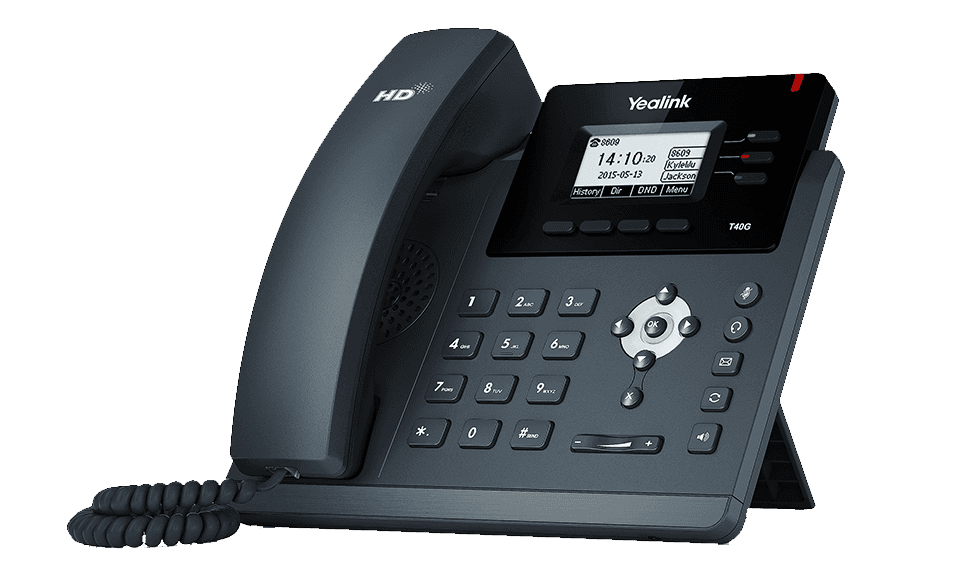
Yealink's user guide for the Yealink SIP-T40G, covering everyday calling, contacts, voicemail and phone settings (132 pages). This copy, last updated by Yealink on October 22, 2025, and you can read it right here or download it.
The SIP-T40G has been discontinued by Yealink, but it's still widely used, and this document is still the reference for setting it up. The Tech Team™ supports end-of-life Yealink phones and can help you plan a replacement when you're ready.
SIP-T40G is end of sale. Support options, dates and replacementsWhat’s inside
- Before You Begin
- Related Documentation
- Getting Started
- Hardware Overview
- T48S/T48G Hardware
- T46S/T46G/T42S/T42G/T41S/T41P/T40P/T40G Hardware
- Power LED Indicator
- Line Key LED
- Screen and Icons
- Idle Screen
- Calls Screen
- Icons in the Status Bar
- Line Key Icons
- Entering Characters on T48S/T48G
- Using the Onscreen Keyboard
- Using the Phone Keypad and Dial Pad
- Entering Characters on T46S/T46G/T42S/T42G/T41S/T41P/T40P/T40G
- Call Features
- Changing the Default Account
- Placing Calls
- Placing a Call from the Dialer
- Placing Multiple Calls
- Placing a Call with a Speed Dial Key
- Placing a Call Back to the Last Incoming Number
- Redialing a Number
- Dialing a Hotline Number
- Placing an International Call
- Placing a Call from the Call History
- Placing a Call from the Directory
- Placing an Anonymous Call
- Placing Calls to Google Contacts
- Placing an Emergency Call from a Locked Phone
- Answering Calls
- Answering a Call
- Answering a Call When in a Call
- Answering a Call Automatically
- Switching Among the Handset, Speakerphone and Headset Modes
- Disabling Call Waiting
- Silencing or Rejecting Incoming Calls
- Silencing a Call
Phones covered
Yealink phones this user guide covers
Versions
Other versions of this document
- PDFYealink T4 Series IP Phones User Guide V86.15DownloadUpdated Oct 22, 2025SIP-T40P
- PDFYealink T4 Series IP Phones User Guide V86.15DownloadUpdated Oct 22, 2025SIP-T48G
- PDFYealink T4 Series IP Phones User Guide V86.15DownloadUpdated Oct 22, 2025SIP-T41P
- PDFYealink T4 Series IP Phones User Guide V86.15DownloadUpdated Oct 22, 2025SIP-T42G
- PDFYealink T4 Series IP Phones User Guide V86.15DownloadUpdated Oct 22, 2025SIP-T46G
- PDFYealink T4 Series IP Phones User Guide V86.15DownloadUpdated Oct 22, 2025SIP-T41S
- PDFYealink T4 Series IP Phones User Guide V86.15DownloadUpdated Oct 22, 2025SIP-T42S
- PDFYealink T4 Series IP Phones User Guide V86.15DownloadUpdated Oct 22, 2025SIP-T48S
Related
More Yealink user guides
- PDFYealink T4 Series IP Phones User Guide V86.15DownloadUpdated Oct 22, 2025SIP-T40G
FAQ
Questions about this document
Quick answers, and The Tech Team™ is a call away if you need more.
Need help with your SIP-T40G?
The Tech Team™ can provision, update and troubleshoot your Yealink phones, and move your office onto smplVoice cloud voice.
Yealink and Yealink product names are trademarks of Yealink Network Technology Co., Ltd. Product information, images and documents are published by Yealink and provided here for reference by smplVoice. Firmware and documents are Yealink’s original, unmodified files.