

Yealink EOL notice
Yealink Protective Case for W53H end of life
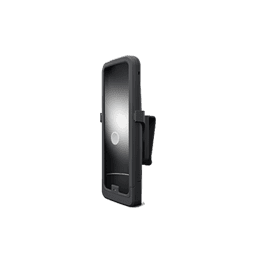
- Status
- End of Sale
- End of sale
- Not published
- End of life
- Not published
End of Sale · still supported
We still support the Yealink Protective Case for W53H
Yealink has stopped selling the Protective Case for W53H, but plenty are still in use. The Tech Team™ keeps them working, and helps you move on only when it makes sense.
Setup & provisioning
Add, reset or re-provision Protective Case for W53H phones on your system, including new accounts and line keys.
Firmware & security
Install the last firmware Yealink released for the Protective Case for W53H and lock down its settings.
Troubleshooting
Registration failures, one-way audio, dropped calls, boot loops and factory resets.
Replace when you're ready
Matched to a current Yealink model and set up with your extensions and buttons.
Replacement optionsWhat it means
What end of life means for your Protective Case for W53H
No longer sold
Yealink stopped selling the Protective Case for W53H. New units and spares get harder to source.
Updates ending
Firmware and security fixes continue until end of life, then stop.
Limited repairs
Warranty replacement and Yealink technical support end at end of life, so a failed phone has to be replaced.
It still works, for now
The phone keeps making calls, but provider, TLS and codec changes can break it without warning.
Recommended replacement
Replacement options
- Current firmware and security updates
- Warranty and Yealink support coverage
- Newer codecs, Wi-Fi and Bluetooth on most models
- Setup and provisioning by The Tech Team™
Need help with your Protective Case for W53H?
The Tech Team™ can provision, update and troubleshoot your Yealink phones, and move your office onto smplVoice cloud voice.
Yealink and Yealink product names are trademarks of Yealink Network Technology Co., Ltd. Product information, images and documents are published by Yealink (source) and provided here for reference by smplVoice. Firmware and documents are Yealink’s original, unmodified files.