

Yealink document
Yealink SIP Phones Integrated with Metaswitch Configuring Guide V1.5
Loading document preview…
About this document
About the SIP Phones Integrated with Metaswitch Configuring Guide V1.5
A Yealink document for the Yealink CP960 and CP960-WirelessMic (94 pages). This is version 1.5, last updated by Yealink on October 21, 2025, and you can read it right here or download it.
These phones have been discontinued by Yealink, but they're still widely used, and this document is still the reference for setting them up. The Tech Team™ supports end-of-life Yealink phones and can help you plan a replacement when you're ready.
CP960 is end of sale. Support options, dates and replacementsWhat’s inside
- About This Guide
- In This Guide
- Configuration Methods
- Phone User Interface
- CommPortal Phone Configurator
- Customizing Your Phone
- IPv4 and IPv6 Network Settings
- Choosing IP Addressing Mode
- Configuring a Static IPv4 Address
- Configuring a Static IPv6 Address
- Registering Accounts
- SIP Session Timer
- Configuring SIP Session Timer
- Time & Date
- Time Zone
- Configuring NTP Server
- Configuring Daylight Saving Time
- Directory
- Configuring the Display Priority of the Directory
- Viewing the Directory on the Phone
- Remote Phone Book
- Configuring Access URL of the Remote Phone Book
- Enabling Presenting the Caller Identity
- Downloading the Business Group Contacts
- Viewing Remote Phone Book on the Phone
- Searching for a Contact in the Remote Phone Book
- Placing a Call from Remote Phone Book
- Search Source List in Dialing
- Configuring Search Source List
- Line Keys Configuration
- Line Key Features
- Keypad Lock
- Configuring the Keypad Lock
- Unlocking the Phone
- Dial-now
- Adding a Dial-now Rule
- Configuring the Delay Time for Dial-now Rules
- Configuring Live Dialpad
- Downloading Configuration Files to Phones
- Obtaining the Provisioning Server Address
Phones covered
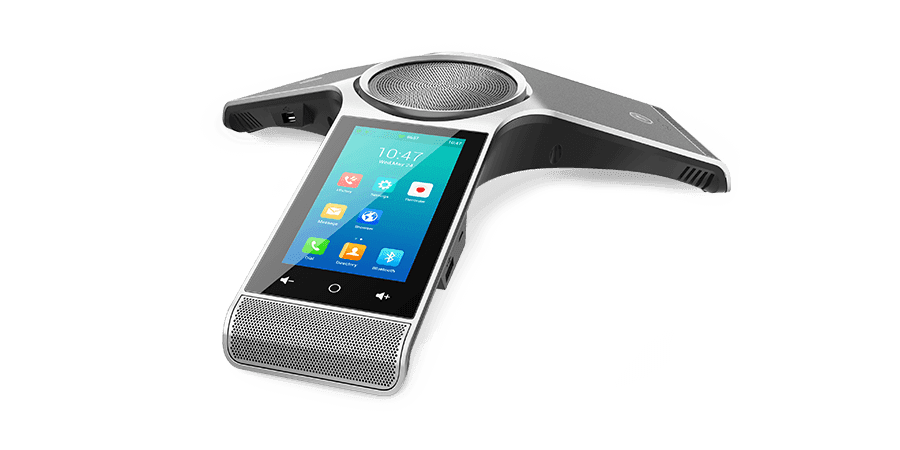
Yealink phones this document covers

Related
More Yealink other downloads
- PDFYealink SIP IP Phones XML Browser Developer's Guide V1.0DownloadUpdated Jun 15, 2026CP960CP960-WirelessMic
- PDFYealink SIP IP Phones XML Browser Developer's Guide V1.0DownloadUpdated Jun 15, 2026CP960CP960-WirelessMic
- PDFYealink Configuration Encryption Tool User Guide V1.2DownloadUpdated Apr 3, 2026CP960CP960-WirelessMic
- PDFYealink Configuration Encryption Tool User Guide V1.2DownloadUpdated Apr 3, 2026CP960CP960-WirelessMic
- PDFCalling and Connected Line Identification Presentation on Yealink IP PhonesDownloadUpdated Apr 3, 2026CP960CP960-WirelessMic
- PDFCalling and Connected Line Identification Presentation on Yealink IP PhonesDownloadUpdated Apr 3, 2026CP960CP960-WirelessMic
- PDFLDAP Directory on Yealink IP PhonesDownloadUpdated Apr 3, 2026CP960CP960-WirelessMic
- PDFLDAP Directory on Yealink IP PhonesDownloadUpdated Apr 3, 2026CP960CP960-WirelessMic
FAQ
Questions about this document
Quick answers, and The Tech Team™ is a call away if you need more.
Need help with your CP960?
The Tech Team™ can provision, update and troubleshoot your Yealink phones, and move your office onto smplVoice cloud voice.
Yealink and Yealink product names are trademarks of Yealink Network Technology Co., Ltd. Product information, images and documents are published by Yealink and provided here for reference by smplVoice. Firmware and documents are Yealink’s original, unmodified files.