

Yealink user guide
Yealink W59R(W60B) DECT IP Phone User Guide V85.20
Loading document preview…
About this user guide
About the W59R(W60B) DECT IP Phone User Guide V85.20
Yealink's user guide for the Yealink W59R, W59R Pro and W60P, covering everyday calling, contacts, voicemail and phone settings (47 pages). This is version 85.20, last updated by Yealink on January 29, 2026, and you can read it right here or download it.
Some of the phones it covers (W60P) are end of sale or end of life. We still support them, and this document still applies.
W60P is end of sale. Support options, dates and replacementsWhat’s inside
- Before You Begin
- Related Documentation
- Getting Started
- Hardware Overview
- W60B Base Station Hardware
- W59R Hardware
- Power LED Indicator
- Menu
- Main Menu
- Submenu
- Returning to Idle Screen
- Screen and Icons
- Idle Screen
- Line Status Screen
- Icons on the Idle Screen
- Icons on the Calls Screen
- Icons on the Line Status Screen
- Entering Characters
- Setting the Input Modes
- Entering Data
- Handset Registration
- Putting the Base Station into Registration Mode
- Registering a New Handset to a Base Station
- Registering a Handset to Another Base Station
- Possible Reasons for Registration Failure
- Selecting a Base Station to Connect
- Renaming the Base Station
- Deregistering a Handset
- Call Features
- Changing the Default Outgoing Line
- Placing Calls
- Placing Internal Calls
- Placing External Calls
- Placing a Call from the Call History
- Placing a Call from the Directory
- Placing a Call from the Shared Directory
- Speed Dial
- Redial
- Placing an Anonymous Call
- Calling Emergency Alarm Number
Phones covered
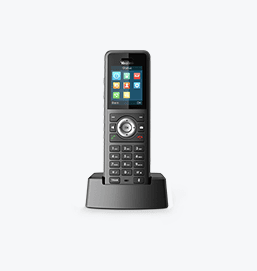
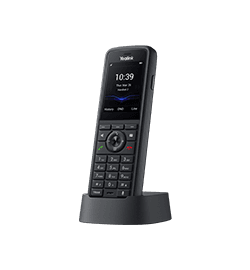
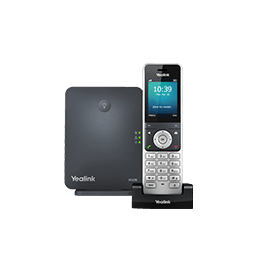
Yealink phones this user guide covers
Related
More Yealink user guides
FAQ
Questions about this document
Quick answers, and The Tech Team™ is a call away if you need more.
Need help with your W59R?
The Tech Team™ can provision, update and troubleshoot your Yealink phones, and move your office onto smplVoice cloud voice.
Yealink and Yealink product names are trademarks of Yealink Network Technology Co., Ltd. Product information, images and documents are published by Yealink and provided here for reference by smplVoice. Firmware and documents are Yealink’s original, unmodified files.