

Yealink administrator guide
Yealink SIP-T2 Series T4 Series T5 Series CP920 IP Phones Administrator Guide V84
Loading document preview…
About this administrator guide
About the SIP-T2 Series T4 Series T5 Series CP920 IP Phones Administrator Guide V84
The administrator guide for the Yealink CP920 and SIP-T38G: configuration, provisioning, security and feature setup (591 pages). This is version 84, last updated by Yealink on October 24, 2025, and you can read it right here or download it.
These phones have been discontinued by Yealink, but they're still widely used, and this document is still the reference for setting them up. The Tech Team™ supports end-of-life Yealink phones and can help you plan a replacement when you're ready.
CP920 is end of sale. Support options, dates and replacementsWhat’s inside
- Before You Begin
- Related Documentations
- Recommended References
- Getting Started
- Requirements
- Yealink IP Phones in a Network
- Initialization Process Overview
- Loading the ROM File
- Configuring the VLAN
- Querying the DHCP (Dynamic Host Configuration Protocol) Server
- Contacting the Provisioning Server
- Updating Firmware
- Downloading the Resource Files
- Verifying Startup
- Network Configurations
- IPv4 and IPv6 Wired Network Settings
- Wired Network IP Addressing Mode Configuration
- IPv4 Wired Network Configuration
- IPv6 Wired Network Configuration
- DHCP Option for IPv4
- Supported DHCP Option for IPv4
- DHCP Option 66, Option 43 and Custom Option
- DHCP Option 42, Option 2 and Option 100
- DHCP Option 12
- DHCP Option 120
- DHCP Option 60
- DHCP Option for IPv6
- Supported DHCP Option for IPv6
- DHCP Option 59 and Custom Option
- VLAN
- LLDP Configuration
- CDP Configuration
- Manual VLAN Configuration
- DHCP VLAN Configuration
- VLAN Setting Configuration
- Wi-Fi
- Wi-Fi Configuration
- Wireless Network IP Addressing Mode Configuration
- IPv4 Wireless Network Configuration
- IPv6 Wireless Network Configuration
Phones covered
Yealink phones this administrator guide covers
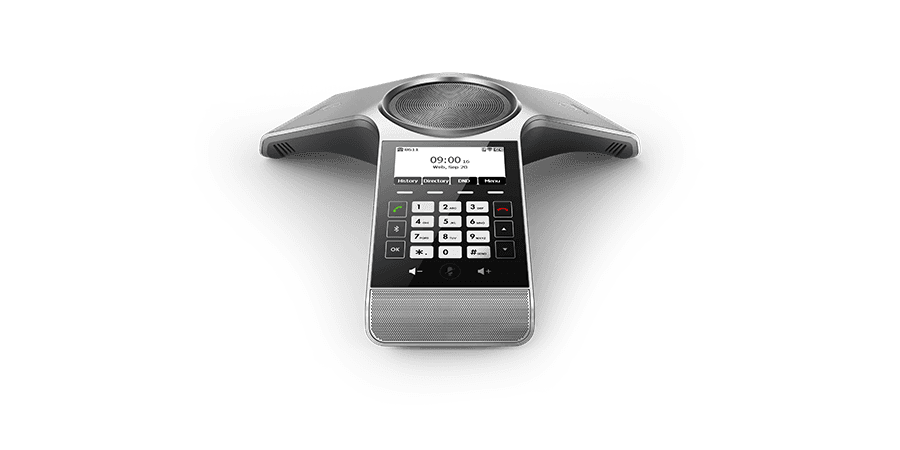
Related
More Yealink admin guides
- PDFDownload
- PDFYealink SIP-T3xG IP Phone Family Administrator Guide V70DownloadUpdated Oct 24, 2025SIP-T38G
- PDFYealink SIP-T2 Series T3 Series T4 Series T5 Series CP920 IP Phones Administrator Guide V86.60DownloadUpdated Oct 21, 2025CP920
FAQ
Questions about this document
Quick answers, and The Tech Team™ is a call away if you need more.
Need help with your CP920?
The Tech Team™ can provision, update and troubleshoot your Yealink phones, and move your office onto smplVoice cloud voice.
Yealink and Yealink product names are trademarks of Yealink Network Technology Co., Ltd. Product information, images and documents are published by Yealink and provided here for reference by smplVoice. Firmware and documents are Yealink’s original, unmodified files.