

Yealink deployment guide
Yealink CP960-UVC Zoom Rooms Kit Deployment Guide V30.30
Loading document preview…
About this deployment guide
About the CP960-UVC Zoom Rooms Kit Deployment Guide V30.30
Deployment and provisioning reference for the Yealink CP960 and CP960-WirelessMic: templates, parameters and rollout steps (41 pages). This is version 30.30, last updated by Yealink on September 5, 2025, and you can read it right here or download it.
These phones have been discontinued by Yealink, but they're still widely used, and this document is still the reference for setting them up. The Tech Team™ supports end-of-life Yealink phones and can help you plan a replacement when you're ready.
CP960 is end of sale. Support options, dates and replacementsWhat’s inside
- Introduction
- Hardware Overview
- Mini-PC
- UVC80
- UVC50
- UVC30
- CP960
- MShare
- Related Documentations
- Technical Specifications
- Deployment and Connection
- CP960-UVC80 Zoom Rooms Kit
- CP960-UVC50 Zoom Rooms Kit
- CP960-UVC30 Zoom Rooms Kit
- Recommended Deployment Solution
- Deployment Solutions of Different Meeting Rooms
- Recommendations of Camera Installation
- Recommendations of Mini-PC Installation
- Initial Setup
- ZoomRooms Account
- ZoomRoomsAdmin Account
- Wireless Network Connection for CP960
- Pairing the Zoom Rooms with CP960
- Using CP960 as an Audio Input and Output Device
- Using CP960 as Zoom Rooms Controller
- Signing Into Your Zoom Rooms Account
- Signing Out of Your Zoom Account from Your Phone
- Basic Features on the Phone
- Controlling UVC80/UVC50/UVC30 Camera
- Setting the UVC80/UVC50/UVC30 as the Default Camera
- Controlling UVC80/UVC50/UVC30 Room Camera Position
- Creating the Preset Position for UVC30
- Resetting the Preset Position for UVC30
- Renaming the Preset Position for UVC30
- Setting UVC30 Camera to Preset Position
- Enabling/Disabling Auto-framing for UVC30
- Content Sharing
- Wired Content Sharing
- Wireless Content Sharing
- Pairing the WPP20 with the MShare
Phones covered
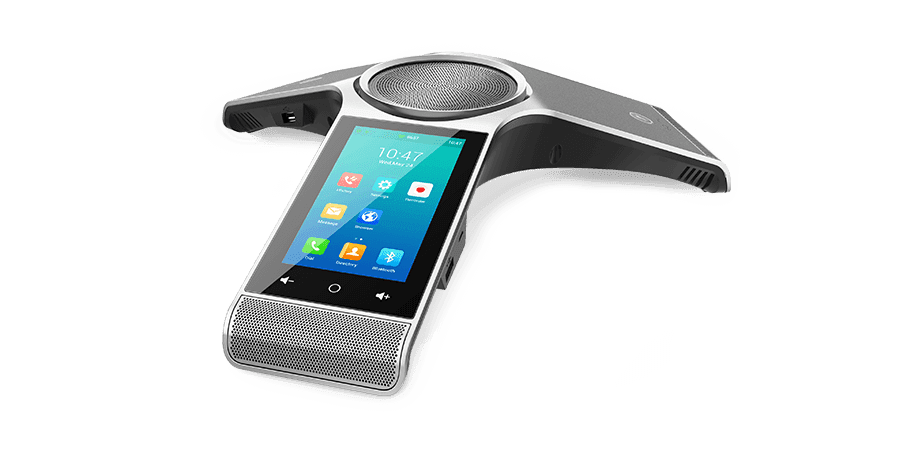
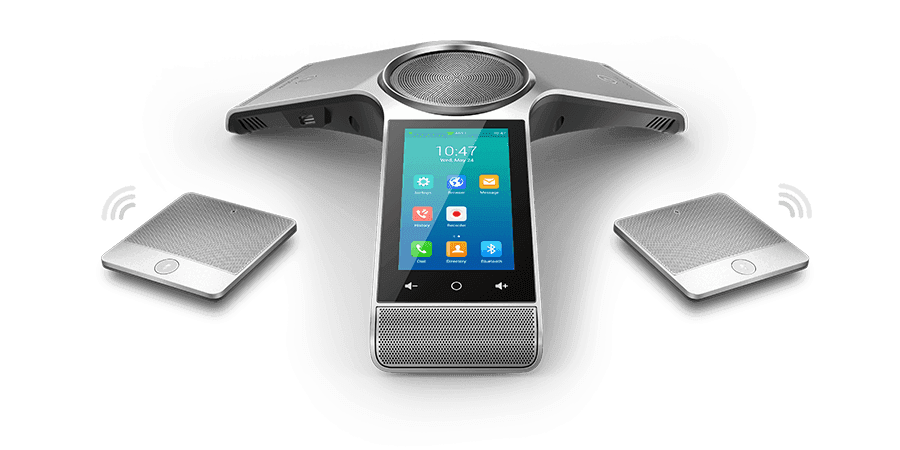
Yealink phones this deployment guide covers
Related
More Yealink deployment
- PDFDeploying Yealink IP Phones for Using with Skype for Business Server V9.16DownloadUpdated Dec 10, 2025CP960CP960-WirelessMic
- PDFYealink Skype for Business HD IP Phones Auto Provisioning Guide V9.11DownloadUpdated Dec 10, 2025CP960CP960-WirelessMic
- PDFYealink SIP IP Phones Auto Provisioning Guide V1.0DownloadUpdated Dec 10, 2025CP960CP960-WirelessMic
- PDFYealink SIP IP Phones Auto Provisioning Guide V1.0DownloadUpdated Dec 10, 2025CP960CP960-WirelessMic
- PDFYealink SIP IP Phones Auto Provisioning Guide V1.0DownloadUpdated Dec 10, 2025CP960CP960-WirelessMic
- ZIPYealink SIP Phones AutoProvisioning Template V85.5DownloadUpdated Dec 10, 2025CP960CP960-WirelessMic
- ZIPYealink SIP Phones AutoProvisioning Template V85.5DownloadUpdated Dec 10, 2025CP960CP960-WirelessMic
- ZIPYealink SIP Phones AutoProvisioning Template V85.5DownloadUpdated Dec 10, 2025CP960CP960-WirelessMic
FAQ
Questions about this document
Quick answers, and The Tech Team™ is a call away if you need more.
Need help with your CP960?
The Tech Team™ can provision, update and troubleshoot your Yealink phones, and move your office onto smplVoice cloud voice.
Yealink and Yealink product names are trademarks of Yealink Network Technology Co., Ltd. Product information, images and documents are published by Yealink and provided here for reference by smplVoice. Firmware and documents are Yealink’s original, unmodified files.